
ACG Business
Automate the Work That Still Runs on Spreadsheets.
Approval flows, recurring reports, customer requests and management KPIs — moved out of manual Excel files and email chains into controlled, auditable applications.
Demonstration build — not a client project
- 01Approval workflows
- 02Excel automation
- 03Service queues
- 04Management dashboards
The starting point
Where administrative work leaks time
Most back-office problems are not a lack of software. They are data living in files nobody controls.
The spreadsheet only one person understands
A critical file with no owner, no history and no access control — and the whole routine depends on it.
Numbers that arrive after the decision
Reports consolidated manually at month end, when the loss has already happened.
Requests lost between inboxes
Customer and internal requests tracked by email and memory, with no queue, no status and no follow-up.
What we build
Automation across the back office
Process Automation
Approval flows, checklists and digital forms that replace paper and manual handoffs, with status visible to everyone involved.
- Approval workflows
- Digital forms
- Checklists
- Task routing
- Status tracking
Excel & Spreadsheet Automation
Consolidation, recurring reports and migration of a critical spreadsheet into an application with history, permissions and audit trail.
- Data consolidation
- Scheduled reports
- Spreadsheet to app
- Validation rules
- Version history
Customer Service
Capture requests from every channel into one queue with owner, priority and follow-up — so nothing depends on someone remembering.
- Request intake
- Service queue
- Follow-up reminders
- Response templates
- Service history
Management Dashboards
Commercial and administrative indicators updated from the source data, available on desktop and phone.
- Live KPIs
- Trends
- Targets vs actual
- Team views
- Export
Integrations
Connect the ERP, email, spreadsheets and the tools your team already uses, so data is entered once.
- ERP data
- Spreadsheets
- APIs
- Scheduled sync
Records & Traceability
Every entry with author, timestamp and change history — the difference between a report and evidence.
- Audit trail
- User roles
- Attachments
- Retention
- Access control
Demonstrations
Concept screens for business automation
Built to show what an automated workflow looks like in practice. Click any screen to see it full size.
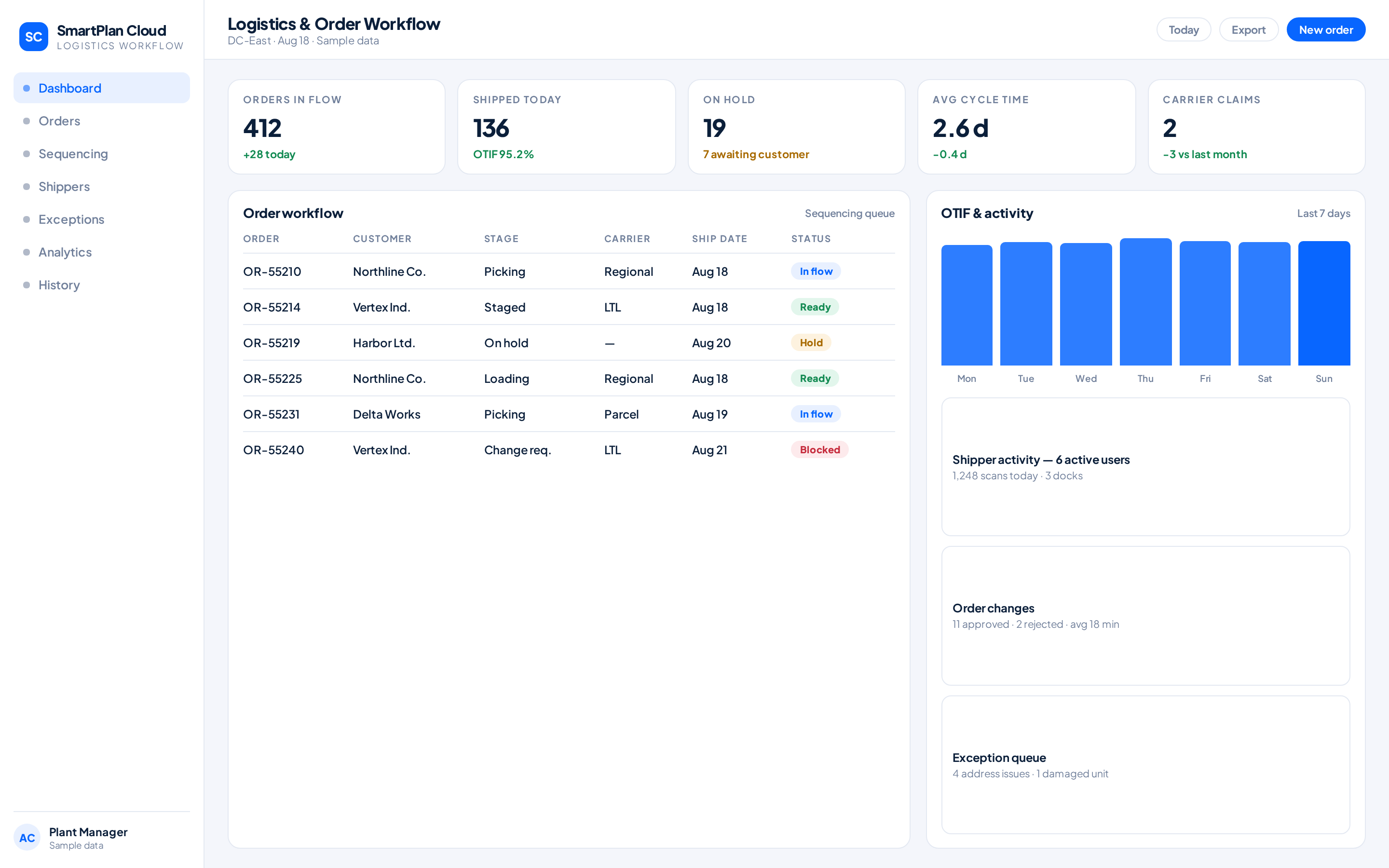
ACG product — logistics and order workflow
SmartPlan Cloud
Cloud workflow for fulfillment tracking, shipper activity, order changes, sequencing and operational history.
- Logistics
- Workflow
- Analytics
ACG concept — approval workflow and recurring reports
Process Automation Board
Concept screen for approval flows, request status and automated consolidation of spreadsheet data.
- Workflow
- Approvals
- Excel automation
ACG concept — service request queue
Customer Service Queue
Concept screen for incoming customer requests with owner, priority, follow-up and response history.
- Service queue
- Follow-up
- History
Demonstration screen built by ACG SmartWorks to show capability. Not a client project; names, numbers and contact details are illustrative.
How we implement
Phased, with the old process still running
01
Map the routine
We follow the process as it happens today, including the workarounds.
02
Define data ownership
Who owns each field, who can change it, what must be kept as history.
03
Automate in phases
The highest-pain step first, delivered usable, then the next one.
04
Run in parallel
The new flow runs beside the old one until the numbers match.
05
Hand over and support
Training, documentation and support after go-live.
A note on risk: automating a business-critical spreadsheet without defining who owns each field and keeping an audit trail only moves the risk. Data ownership and change history are part of every project, not an optional extra.
What changes
The result on a normal week
Less rework
The same data stops being typed into three different files.
Fewer typing errors
Validation at the point of entry instead of correction at the end.
Faster closing
Consolidation that took days runs continuously.
Traceability
Who did what, when — available without asking anyone.
ACG SmartWorks
Which Process Should We Automate First?
Describe the routine that consumes the most time today and we'll map the fastest path out of it.